
Last Updated on April 13, 2026
It isn't possible that a single person can handle all your organization's SDSs. After all, these days organizations operate across multiple locations, departments, and teams. To ensure compliance and ultimate safety, organizations need quick and secure access to critical chemical safety information.
But here's the problem:
When everyone has access without control, it leads to confusion, errors, and compliance risks.
Addressing such types of issues is necessary but can be challenging. However, not impossible. CloudSDS's SDS management software enables organizations to manage it through its control (RBAC) feature. This software comes with a multi-user access feature, which is made more effective with its RBAC feature.
Both these features are necessary for effective chemical safety management. To learn how an SDS management software like CloudSDS can help, continue reading this article.
Why Multi-User Access Alone Is Not Enough
If your current SDS management software only offers multi-user access features, it is insufficient for your organization. Yes, it's true. While multi-user access improves collaboration, it can create serious risks without proper control. Here's what may happen:
- Unauthorized edits to critical safety data
- Confusion due to multiple versions
- Accidental deletion of documents
- Compliance violations during audits
A strong SDS system must combine access with control and accountability. Therefore, your SDS management system must be well-equipped with a feature that is known as Role-Based Access Control (RBAC). The good news is that the SDS management software from CloudSDS includes both features.
What is multi-user access to SDS management software?
Multi-user access allows multiple individuals within an organization to access the SDS database simultaneously. Let's take the SDS management software as an ideal example. Multi-user access in CloudSDS allows different teams across your organization to securely access and interact with the SDS database at the same time. Moreover, your team won't have to experience delays or data conflicts.
-
EHS managers
CloudSDS allows EHS managers full control over the SDS system. They may watch document updates, monitor compliance status, assign user duties, and produce reports all from one dashboard. This helps firms stay consistent and compliance-ready at all of their sites.
-
Safety officers
Safety professionals can immediately get to the most recent SDSs during inspections, audits, or emergencies. CloudSDS makes sure that they never have to confront data that is missing or out of date. This speeds up decision-making and improves how they respond to incidents.
-
Warehouse staff
CloudSDS makes it easy and quick for warehouse workers who handle chemicals every day to access SDS information on their phones or smart devices. This makes it easier for them to follow the correct steps for reporting, storing, and handling threats without having to browse through paper files.
-
Lab technicians
With CloudSDS's smart search, lab workers may find out about chemical safety in only a few seconds. They learn the rules of personal protective equipment (PPE) and how to handle chemical products safely so they may undertake safe experiments and run the lab every day efficiently.
-
Compliance auditors
CloudSDS makes audits easier by giving compliance auditors rapid access to well-organized, up-to-date SDS records. Features like version tracking and audit trails make it easy for auditors to verify compliance without having to put in any extra effort.
What are role-based permissions?
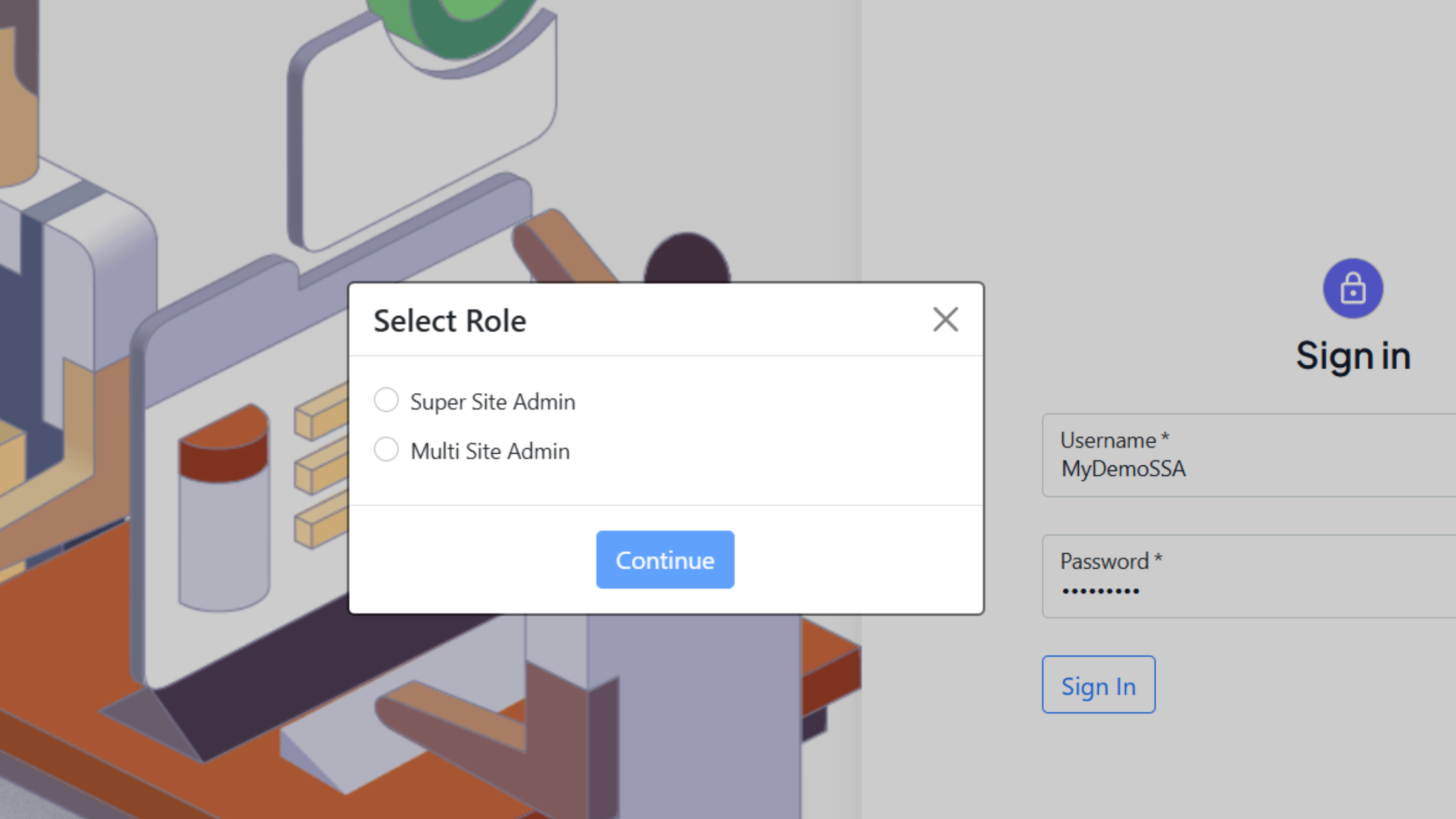
Role-Based Permissions is also known as Role-Based Access Control (RBAC). This feature makes the SDS management software from CloudSDS a must-have tool when it comes to having effortless and error-free chemical safety management. With this software, it is easy to ensure that every user gets access to only the information and actions relevant to their role.
Instead of giving full access to everyone, permissions are assigned based on responsibilities.
For example:
-
Admin:
Administrators can do everything they want with CloudSDS. They can add new SDSs, alter old ones, delete old data, and change the settings of the system. Admins also set up user roles and permissions to ensure that access is orderly and follows the norms of the business.
-
Safety Officer:
Always verify that the SDS is up-to-date and in excellent shape. The safety officers at CloudSDS are usually the ones who verify that SDS is right. CloudSDS safety officers can review compliance information, update paperwork, and ensure that all safety data is current. This helps companies stay ready for audits and not have to rely on manual processes so much to keep track of all their products.
-
Employee:
CloudSDS only lets ordinary employees see information. This approach makes it easier for them to locate and makes sure that workers can always access vital safety information.
-
Auditor:
Auditors can safely look at SDS records, version history, and compliance data with CloudSDS. This makes it easy to undertake audits without getting in the way of routine business, and it also ensures sure that everyone is accountable and does their job.
Key features of CloudSDS multi-user access and role-based permissions
CloudSDS is designed to provide organizations with complete control over SDS access while keeping it simple and scalable.
1. Controlled access levels
With this software, your admins can gain control over all users. They can define who can view, edit, approve, or manage SDS documents within your organization. Thus, you won't have to give complete access to everyone. Rather, assign permission based on job responsibilities.
For instance, all your safety managers can have full editing and approval rights. On the other hand, employees on the shop floor may only have access to view. Thus, your team can manage data privacy.
2. Custom role creation
Every organization operates differently. That's why your organization requires
these unique roles, which may not be similar to those in other companies
The system allows you to define permissions that align perfectly with how your team works. Thus, your team can add flexibility to your entire chemical safety management process. So, streamline operations and ensure everyone has access to exactly what they need.
3. Secure user authentication
This SDS management software from CloudSDS uses strict user authentication mechanisms. This system has been introduced to ensure that only authorized individuals can access your SDS database.
It comes with secure login processes and user verification methods that protect sensitive data from unauthorized access. This stricter process is necessary, as your organization can maintain its confidentiality by keeping all its private information.
4. Activity tracking and audit logs
Tracking all activities related to your SDSs is crucial when it comes to conducting effective chemical safety management. That's why CloudSDS provides detailed activity tracking and audit logs that record every interaction with all your in-house SDSs. In simple terms, you can effortlessly monitor document access, track changes made, and note when those changes occurred.
This level of transparency is certainly vital to let your admins manage proper chemical safety management. As a result, you get access to a clear, traceable history that demonstrates accountability and proper data management practices.
5. Easy user onboarding
User onboarding with CloudSDS is also an effortless task. In simple words, it allows you to add new users to the system in a quick and trouble-free manner. This system allows you to assign roles and permissions instantly, ensuring new employees can access the information they need from day one.
As employees move between roles or departments, permissions can be updated just as easily. This reduces administrative burden and ensures that access rights always stay aligned with current responsibilities.
Benefits of role-based access in SDS management
1. Enhanced data security
Such protection is a must. As a result, you can reduce the risk of data breaches and misuse.
2. Improved compliance and audit readiness
RBAC helps organizations meet regulatory requirements. In short, it allows your team to maintain clear access control over all your chemical safety data.
3. Better team productivity
With RBAC, it's possible to boost your team's overall productivity. All your employees will see relevant information, as they can easily reduce clutter and improve efficiency.
4. Reduced errors and data misuse
Limiting access minimizes accidental edits. As a result, your team can ensure data integrity.
Conclusion
To handle modern-day issues in chemical safety management, organizations need a smart and effective system. The multi-user access combined with role-based permissions modules of CloudSDS is more than just a feature. Yes, it's the backbone of a secure and efficient SDS management system. If your organization is still relying on shared folders or unrestricted access, it's time to upgrade.
Simplify Your SDS Management
CloudSDS gives your team instant access to 23M+ safety data sheets with AI-powered search, automated updates, and full OSHA/GHS compliance — all from one platform.
Leave A Comment